


Introduction to the Nested Fields in Forms
The Nested Fields allows you to create complex, structured dropdown menus within your forms. This tool is ideal for questions requiring multiple levels of selection (nested dropdowns), enabling a user's initial response to dynamically filter the options available in subsequent levels.
Where to Find Nested Fields
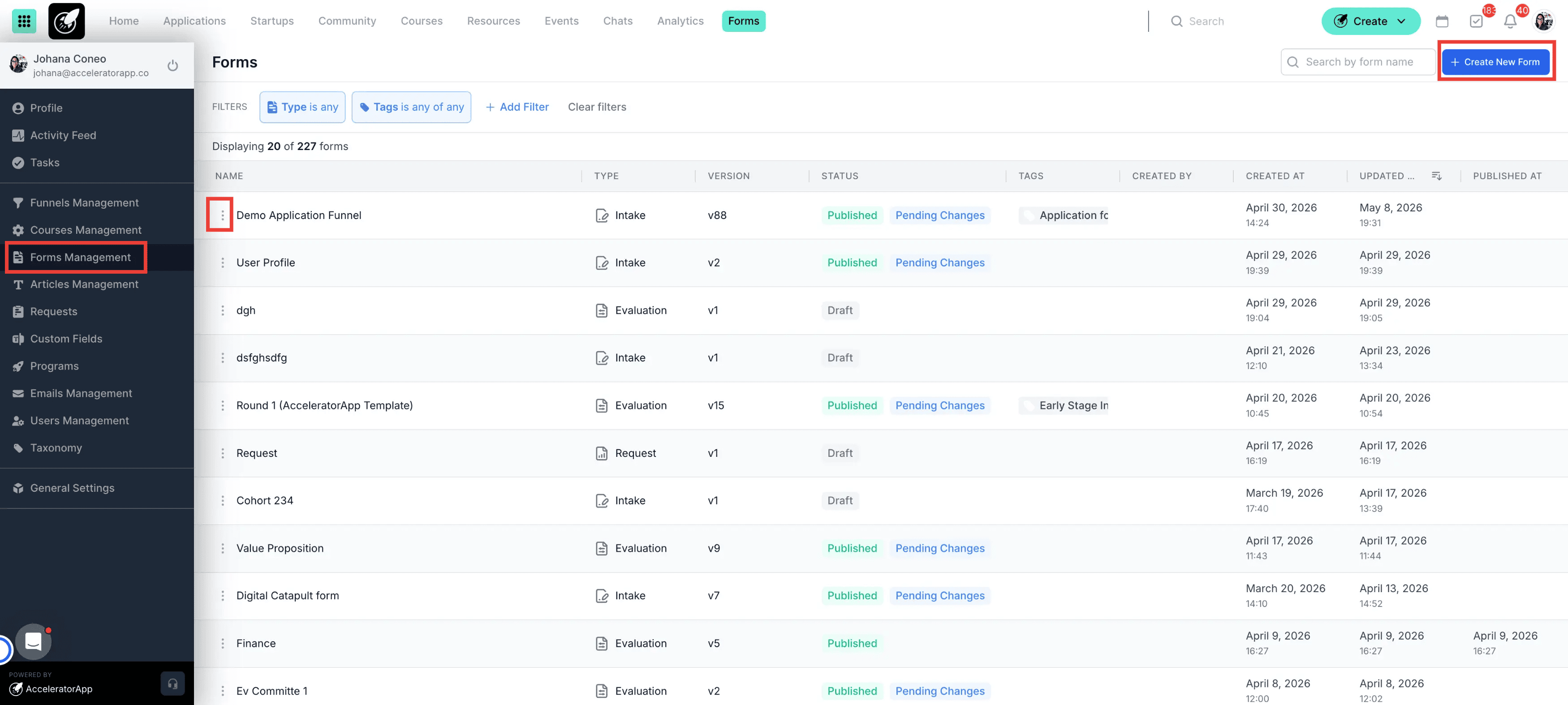
This functionality is available within the form editor for any forms.
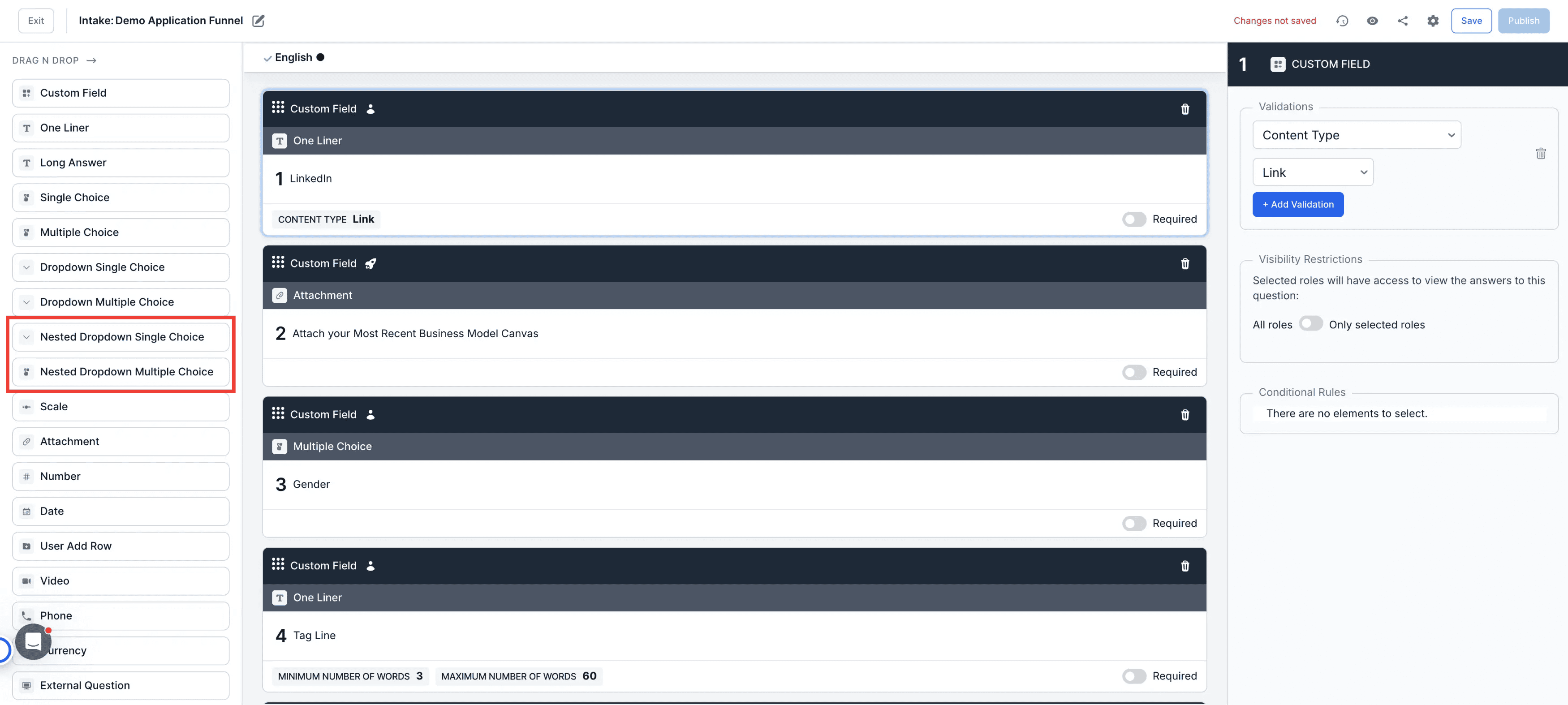
Navigation: While editing a form, drag a Single Choice or Multiple Choice question into your layout.
Step by Step
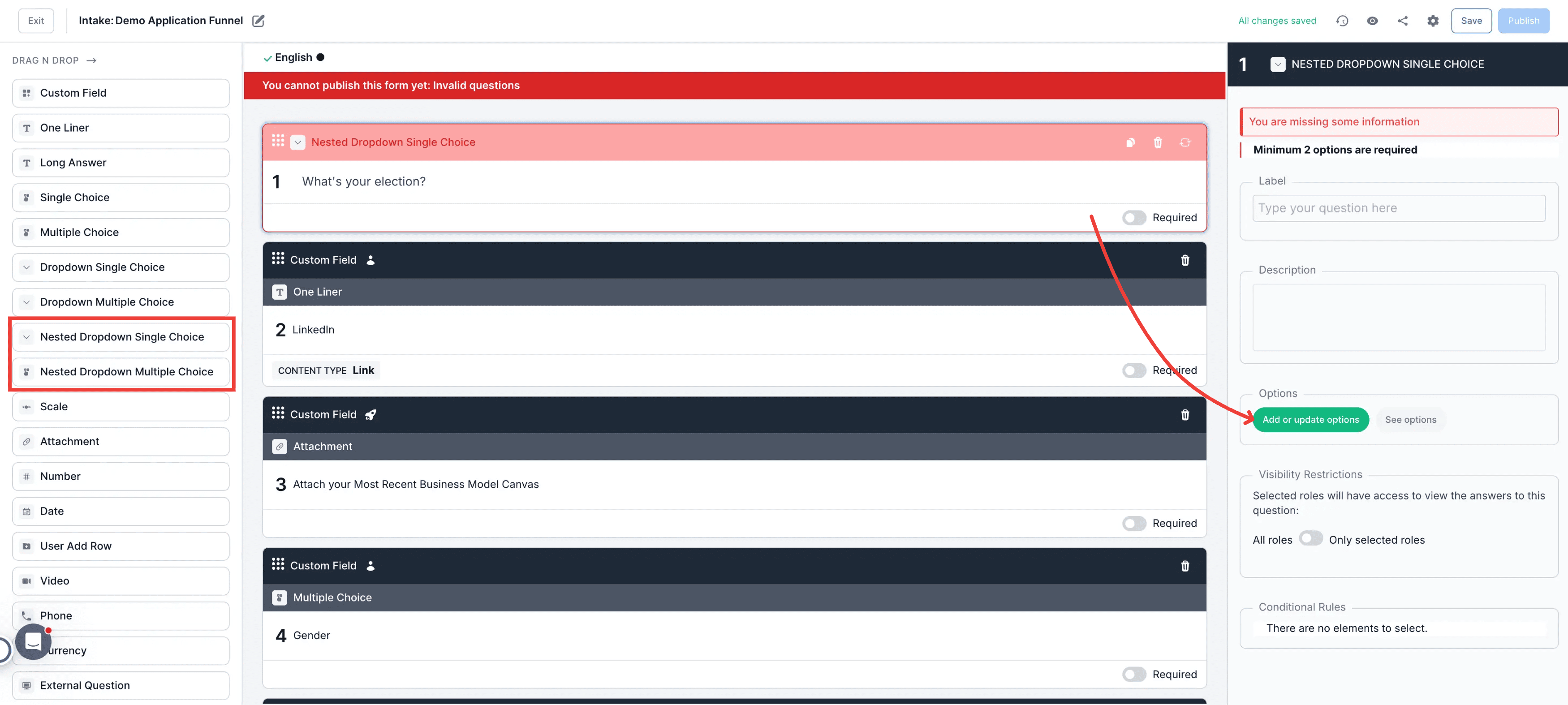
1. Drag and Drop a Nested Single / Multiple Choice field
Label it and click on the button add or update options
2. Create a JSON File
When creating your JSON structure, the goal is to build a hierarchy using values, labels, and nested options:
- Value: A unique identifier for each item.
- Labels: Describes the item using a specific language and its corresponding value.
- Options: A list of nested items which follow the same structure as the parent. Each option can contain further nested options if needed.
You can use this document as a template to build your nested questions. Ensure you save this file with a .json extension before uploading.
JSON
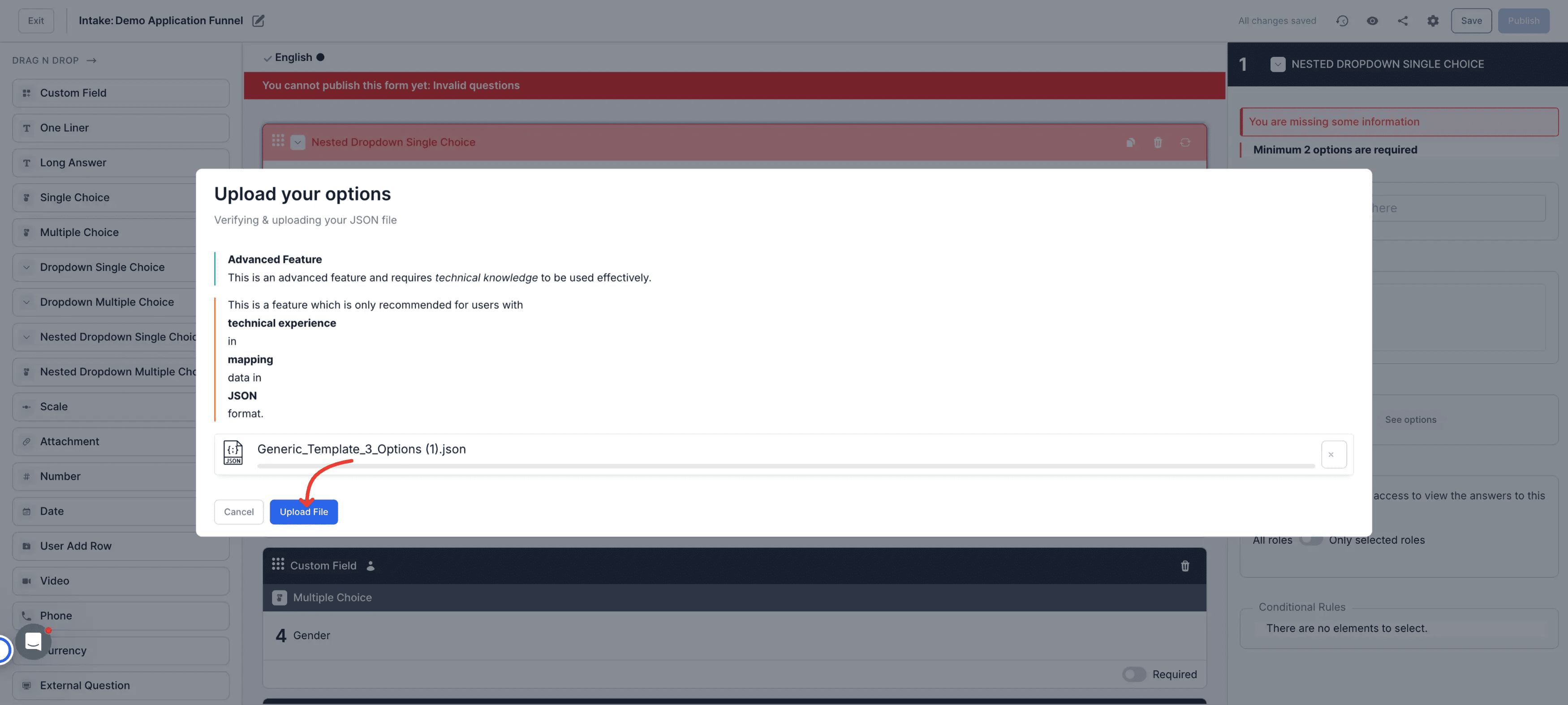
3. Click on Upload after adding the JSON file to populate the options.
Please note that if you need to update the options you will need to upload another JSON file.
Best Practices
- Unique Values: Ensure every value is unique throughout the file to prevent data synchronization errors.
- Language Codes: Always define the correct language code (e.g., "en", "es", "fr") to match your platform's configuration.
- Validation: Use an online JSON validator to check for missing commas or brackets before uploading the file to AcceleratorApp.
- Test Small: Start with a small structure to verify that the nesting levels display as expected before uploading a massive file.